 SHAR
SHARWARLOCK
Soul Shards
Know how many you have before your next summon. Counts your bags, including soul bags, without including the bank.
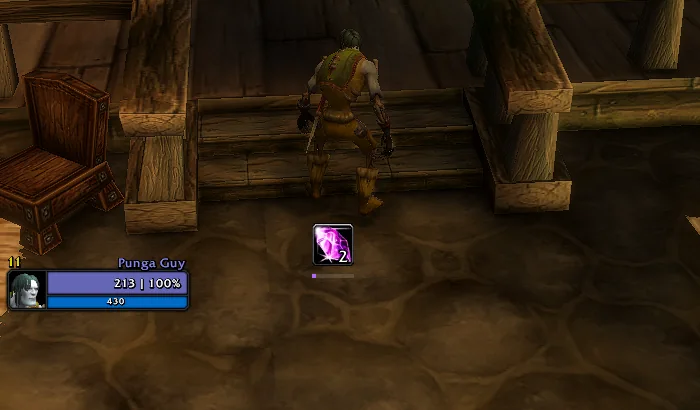
- Item icon or standalone counter
- Optional bar with your shard goal
- Your choice of counter font and color

SOUL SHARDS & COMBO POINTS
Less watching your UI. More playing.
Your Soul Shard and Combo Point tracker for WoW Forever.
By Sebiten / Lightweight by design / No external libraries
YOUR HUD, WITHOUT DISTRACTIONS
Two resources. One small addon. Everything close to your character.
WARLOCK
Know how many you have before your next summon. Counts your bags, including soul bags, without including the bank.
ROGUE & FERAL DRUID
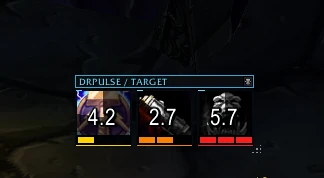
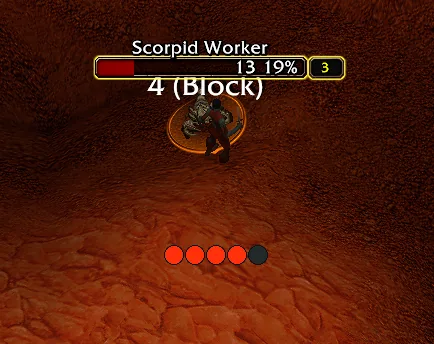
Five indicators to plan your next move. From your first strike to your finisher, keep your eyes on the fight.
Updates through game events. No continuous polling, combat-log processing or external libraries.
MAKE IT YOURS
Move the tracker, adjust its scale and choose its look. Settings are saved per character.
Drag, position and lock it in place.
Set opacity, background and visibility at zero.
Customize borders, colors, fonts and spacing.
An interactive preview. Configure the addon in game with /shardot.
READY FOR YOUR NEXT SESSION
A few steps to keep your resources in sight.
Browse files on CurseForge ↗Choose the file for your WoW Forever version on CurseForge. Install it and enable it in the in-game addon list.
Type /shardot or /sd in chat. Enable Preview to see your changes before combat.
Disable Lock position, drag the tracker and lock it again. Changes in General, Design and Colors apply immediately.
BEFORE YOU LOG IN
Shardot is built for WoW Forever, Interface 16001. Check the CurseForge files to confirm compatibility with your client before downloading.
No. It counts shards in your character’s bags, including soul bags. Bank storage is excluded.
When the client restricts resource values, the gold-to-red progression uses a fixed color for each position. Hiding at zero only applies when the value can be read.
Disable or remove Forever Resources before enabling Shardot to avoid duplicate trackers. Previous settings are not imported automatically.
Leave a comment on CurseForge with your client version, class and steps to reproduce the issue. Include the Lua error if available.
Bring your resources into the action.
Get Shardot Free. Every feature included.BUILT WITH TIME AND CARE
Enjoying my addons? A voluntary donation helps me keep improving Shardot and DRPulse. Thank you for supporting the project.
Donations are optional. All features remain free.